
 In the works
Email Lists & Campaigns
Lasting lists with consent records, segments and sign-up forms; one-off campaigns; and automated journeys. Every unsubscribe, bounce and complaint lands on a suppression list that no send can get around.
Private · Invite-only · AI on your own server
NubianMail brings Gmail, Google Workspace, Microsoft 365 and any IMAP mailbox together — fast, beautifully organised, and free of the trackers that follow you around your inbox. Now with tasks, Quick Text, shared mailboxes and much more.
Already invited? Sign in
Works with
Just landed
A busy few weeks. Pick a feature to see it in action.
Three resizable columns: your lists and sub-lists with icons and colours, the tasks in them, and a detail pane with rich notes, checklists, pictures and files. Drag tasks onto another list, or select many and act on them at once.
Save the replies you write every day as Quick Text, then drop one in from the gallery or type its ;code and press F3. Smart fields fill in first names, your name and dates, and a Quick Text can carry its own files.
Tell NubianMail what you're expecting: a sender, a whole domain, or words in the subject or body, with an optional “expect it by” date. When it lands, it's flagged, pinned to the top and you get a notification.
Press the speaker on any message to hear the body, without the sender line or the “You don't often get email from…” banners. Select a passage to hear just that part.
Double-click a message to open it in its own window. Conversations open with the latest message showing and the rest tucked away, and clicking a new-mail notification opens just that email.
Two-way sync with Google, Microsoft 365, iCloud, Fastmail and any CalDAV or CardDAV server. Event descriptions keep their bold, colours, lists and links, and right-click menus put every action one click away.
After each update NubianMail greets you with the highlights and a link to the full changelog. Seen it? Hide it until the next update.
One inbox
Connect your work, personal and business accounts side by side — or merge them into one inbox. Give each a label and colour, so you always know which hat you're wearing.

Private by design
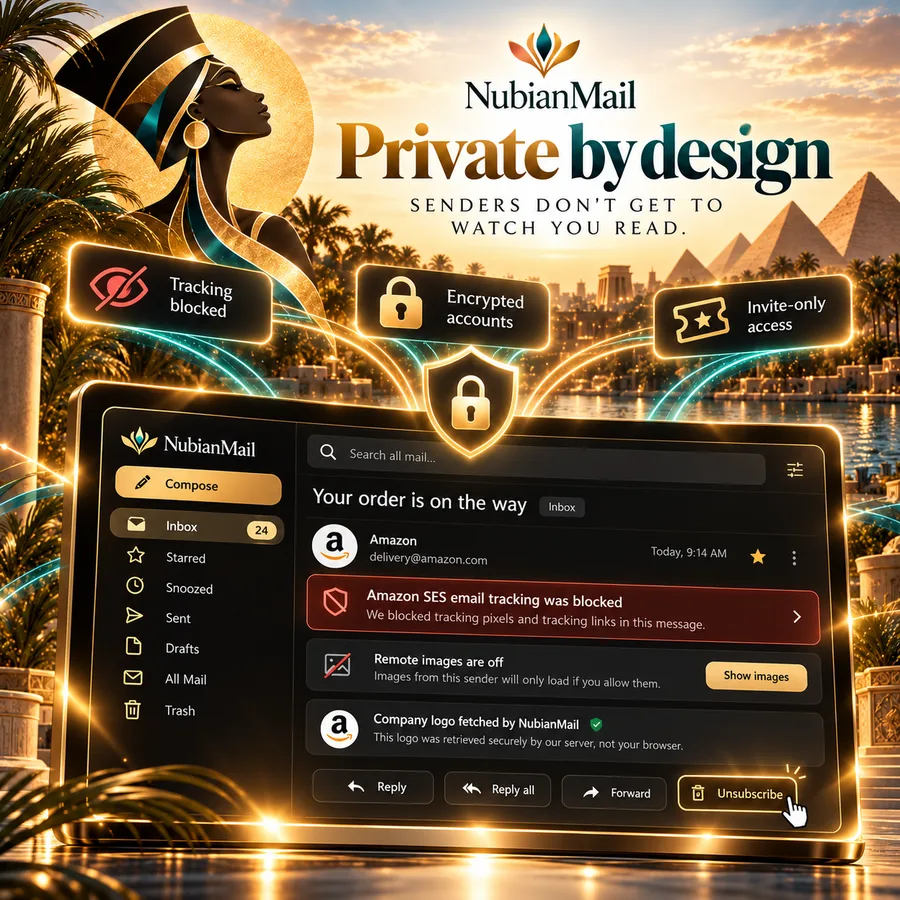
Tracking pixels are blocked and named — “Amazon SES email tracking was blocked”. Remote images stay off until you say so, and even company logos are fetched by our server, never your browser.
AI that works for you
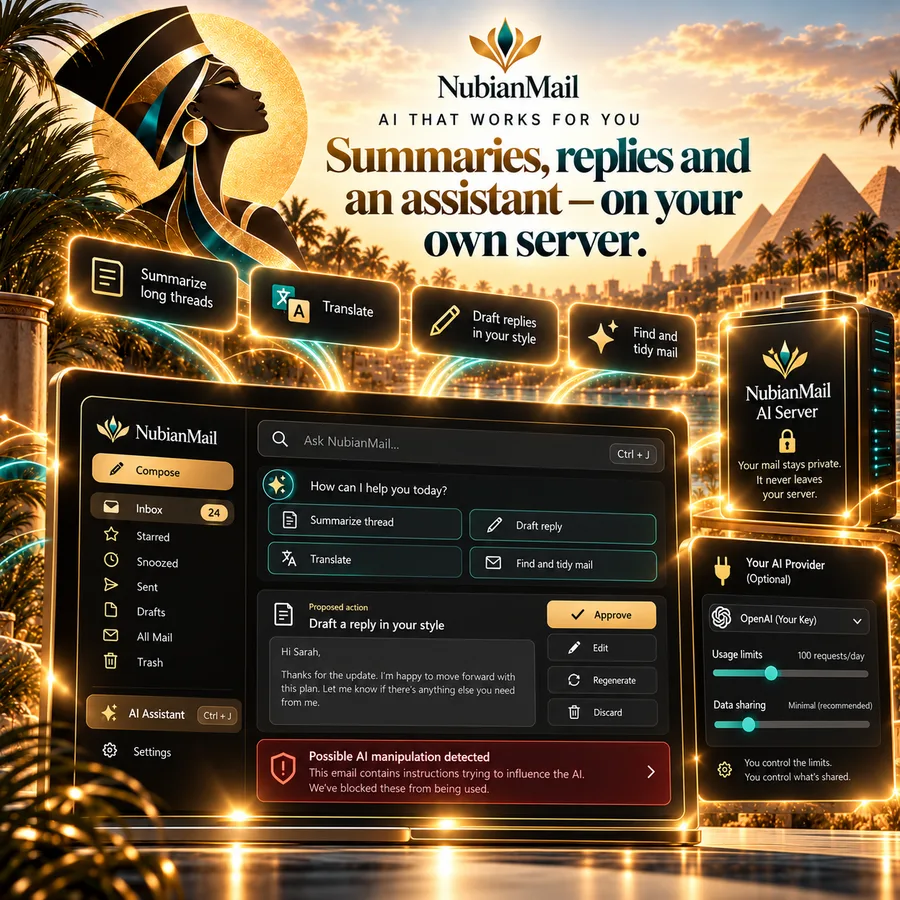
Summarize a long thread, translate, draft a reply in your own writing style, or ask the assistant to find and tidy mail. It runs on NubianMail's own AI server, so your mail isn't sent to a big AI company.
Rules & automation
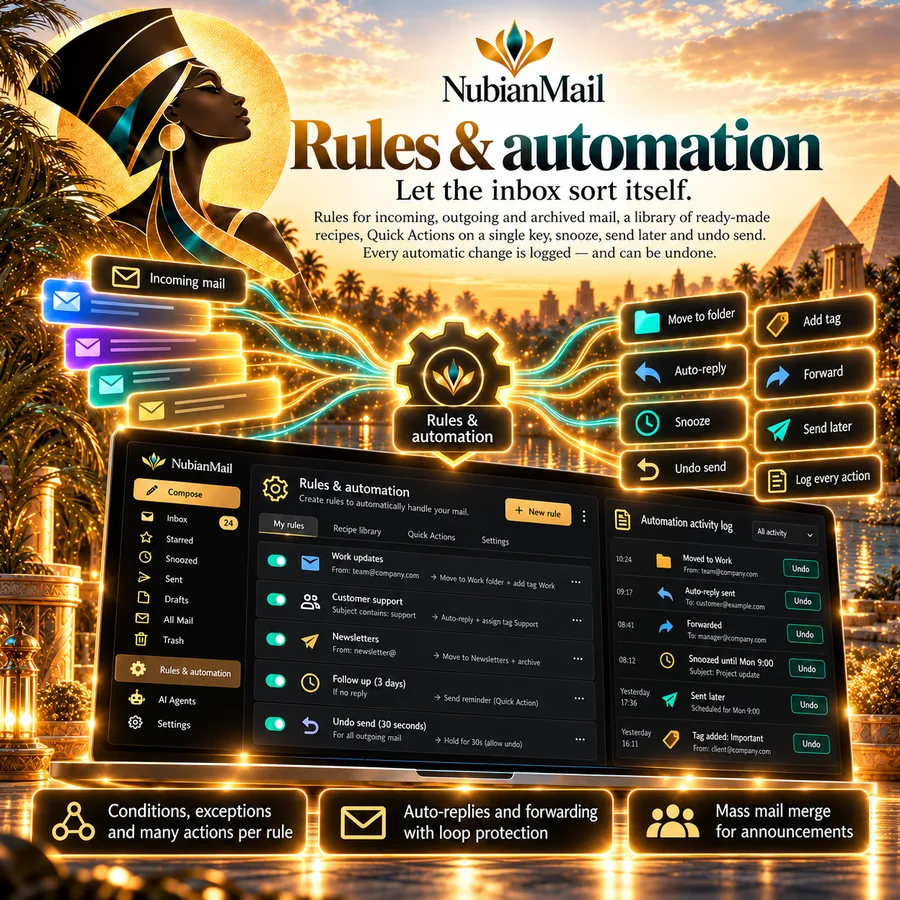
Rules for incoming, outgoing and archived mail, a library of ready-made recipes, Quick Actions on a single key, snooze, send later and undo send. Every automatic change is logged — and can be undone.
Bring your AI agents
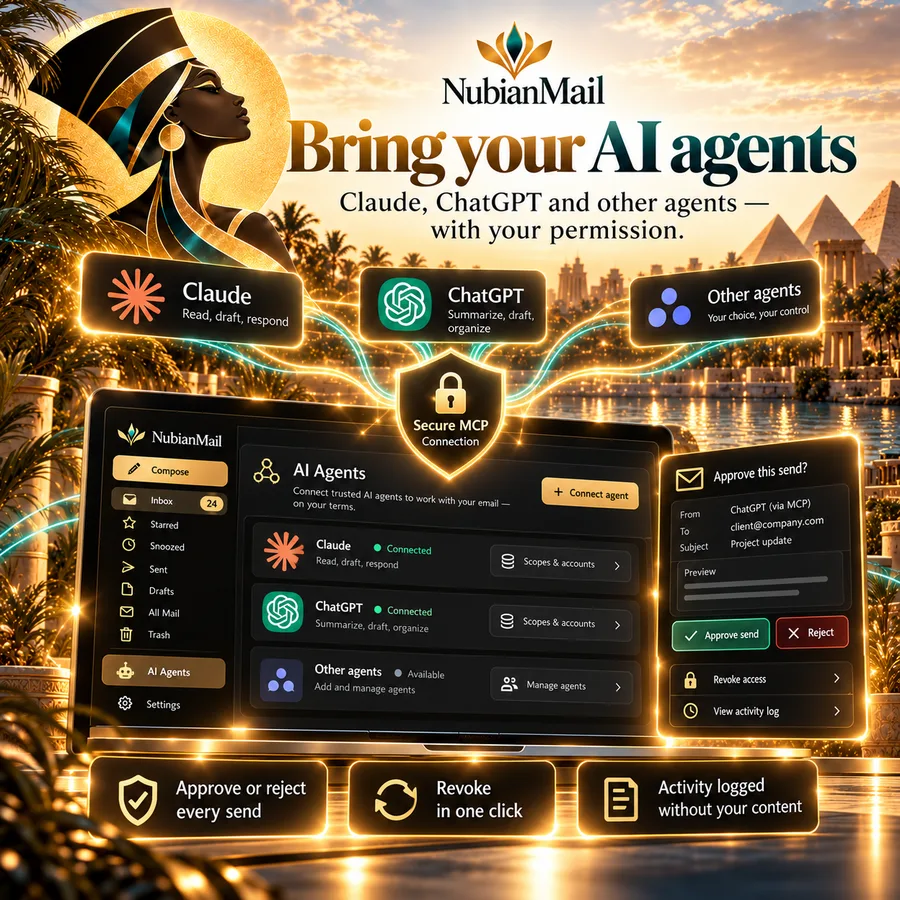
Connect the AI agents you already use through a secure MCP connection. They can search, read and tidy what you allow — and anything that sends, deletes or moves a lot waits for your approval.
All in one place
Mail is only the start. Your calendar, tasks, contacts and notes live right beside it, and sync with the services you already use.
Built for people who live in their email — and want it to feel calm again.
All accounts, or each on its own.
Primary, Promotions, Social, Updates — plus your own tags.
Pixels and remote images off by default.
Operators like from:, has:attachment, before:.
Come back to it, or schedule it.
A few seconds to change your mind.
Automate the busywork, undo anything.
Summaries, replies, translation, assistant.
Connect agents with approvals and audit.
Encrypted per mailbox and server.
New mail in a second or two; keyboard first.
Lists, checklists, reminders, TickTick import.
Saved replies with ;codes and smart fields.
Flagged and pinned the moment it arrives.
Your voice, your speed, body only.
Read and send as Microsoft 365 shared mailboxes.
Google, Microsoft 365, iCloud, CalDAV.
Notebooks beside your mail.
Windows and macOS — coming soon.
On the horizon
What we're building next. Not available yet: we'll announce each one in the app when it's ready.
In the worksLasting lists with consent records, segments and sign-up forms; one-off campaigns; and automated journeys. Every unsubscribe, bounce and complaint lands on a suppression list that no send can get around.
 Coming soon
Text your customers from a TxtYa business number, right beside your mail. Conversations are private to you, and STOP replies opt people out automatically.
 Coming soon
A full desktop app that works offline: your mail stored on your own computer, connected straight to your accounts, with everything you love about NubianMail on the web.
Pick a plan below. We reply personally with your invite link.
Add Gmail, Google Workspace, Microsoft 365 or any IMAP account — NubianMail finds the settings.
Smart tabs, tracking blocked, rules and AI ready when you want them.
Customers
Customer stories coming soon. We only share real customers' words, with their permission.
Customer story coming soon
Customer story coming soon
Customer story coming soon
Customer story coming soon
Customer story coming soon
Customer story coming soon
Our team
CEO, NubianMail by Phoenixtekk
Coming soon
Coming soon
A note from our founder
I built NubianMail because I needed a mail client that did what the others wouldn't. I juggle a lot of email accounts. Microsoft Outlook capped how many I could add, other apps limited how many devices I could use, and none of them had everything I needed in one place.
So I set out to make one home for all of it: every mailbox side by side, with the calendar, tasks, contacts and notes that go with them, and the tools I kept wishing for, from Quick Text to Expected Mail.
Just as important, I want you to receive, keep and own your own data. That's why we're building Device-first mode and the NubianMail desktop app. In Device-first mode, the text of your messages and your attachments stay on your own computer or phone, and our servers keep only what your inbox needs to work, such as your account sign-in and each message's sender, subject and date. The desktop app goes further and keeps everything on your computer. Until those arrive, NubianMail keeps a copy of your recent mail on our own servers so it's fast and searchable, your mailbox passwords are sealed, and our AI runs on our own server, never a big AI company's.
Thank you for trusting us with your inbox. I can't wait to hear what you think.
Choose a plan and ask to join. We'll send you a personal invitation to set up your account.
One person, up to 5 mailboxes in one private inbox.
$15/monthor $150/year (2 months free)
For power users who live in their inbox.
$35/monthor $350/year (2 months free)
No payment is taken on this site. After you ask, we reply personally with your invitation.
Gmail and Google Workspace, Microsoft 365 and Outlook.com, iCloud, Yahoo, Fastmail, and any provider that offers IMAP and SMTP — your own domain included.
NubianMail keeps a copy of your recent mail so it's fast and searchable; your provider stays the source of truth. Mailbox passwords are encrypted so even the web server can't read them back.
Only when you ask it to, and it runs on NubianMail's own AI server — not a third-party AI company. You can turn AI off, or connect your own provider with a data-sharing limit you choose.
So every account gets a personal setup and the service stays fast and private. Ask for a plan below and we'll reply with your invitation.
Yes. Add a shared mailbox by its address under your Microsoft account; it uses your own sign-in. Allow sending once in Settings to reply as the shared mailbox (your organization must give you Send As permission).
Yes, it's in the works: a full offline app for Windows and macOS that connects straight to your mail accounts.
No payment is taken on this site. After you ask for a plan we reply personally with your invitation and the details.
Join NubianMail and bring every account home — private, organised and ready for what's next.
Request your invitation